UpDown Table Predictor
A forecast table of market direction
A compact multi-timeframe table shows direction, strength and market state, and marks key price levels on the chart.
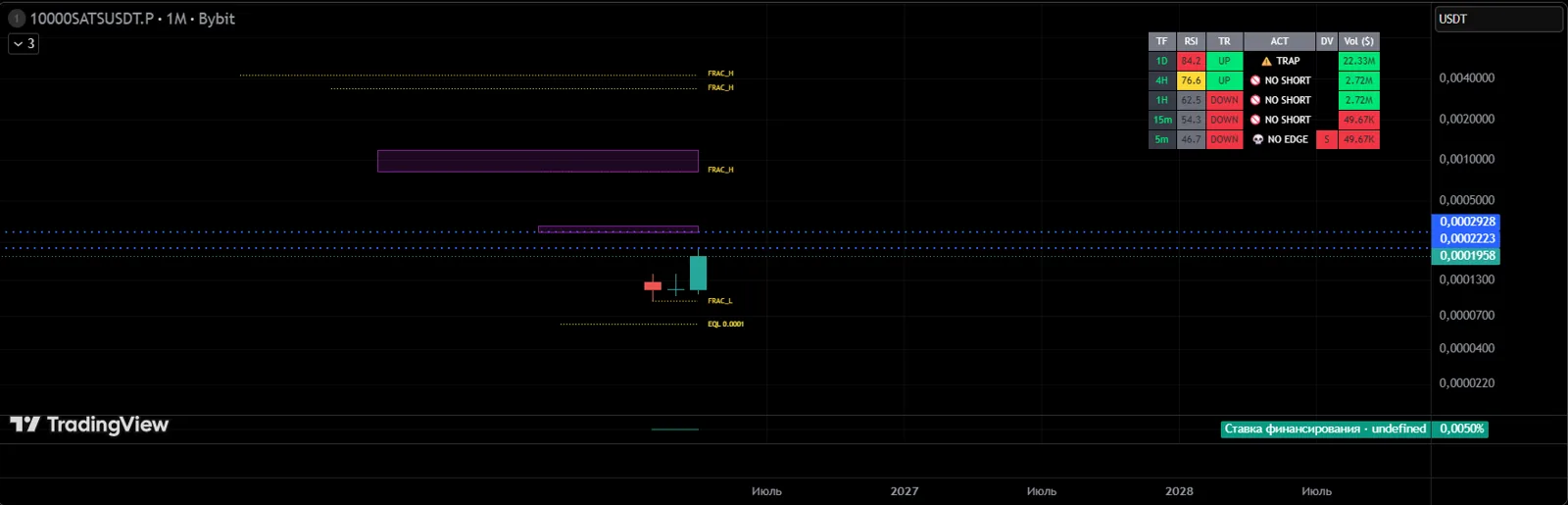
Answers the question
«Which way is the market leaning right now?»
Included in every plan: START, PRO and ELITE.
How it helps
- Direction across several timeframes at once
- Clear labels: long, short or no edge
- Key levels on the chart
- Works on any timeframe
How to get it
- 1Get access in your UpDown dashboard — the indicator alone or as part of a plan.
- 2Under "My Access", add your TradingView username. Our team enables access manually, usually within an hour.
- 3In TradingView, open "Indicators" → "Invite-only scripts" and add the indicator to your chart.
An indicator is an analysis tool, not a trade signal. The decision to enter is always the trader's.